
Website optimization isn't optional anymore—it's the foundation of digital success. According to a Deloitte and Google study, improving your mobile site load time by just 0.1 seconds increases conversions by 8.4% for retail sites and 10.1% for luxury brands. That's measurable revenue from milliseconds.
Whether you're improving search rankings, increasing conversions, or preparing for generative engine optimization strategies, optimizing a website requires a systematic approach. This guide walks you through each step with clear success criteria, recommended tools, and data-backed benchmarks.
You'll learn what you need before starting, follow an eight-step optimization process, troubleshoot common issues, and understand when professional help makes sense.
Table of Contents
What Is Web Page Optimization?
Web page optimization is the process of improving your website's performance across three interconnected dimensions: technical infrastructure, content quality, and user experience. Each dimension influences how search engines evaluate your site and how visitors interact with your content.
Technical SEO ensures search engines can crawl, index, and understand your pages. Content optimization aligns your information with user search intent and establishes expertise. User experience optimization keeps visitors engaged and drives conversions.
The stakes are significant. Mobile devices now account for 60-65% of global web traffic according to StatCounter, and Google uses mobile-first indexing for all sites. This means Google primarily evaluates the mobile version of your content when determining rankings.
As the Google SEO Starter Guide states: "Creating compelling and useful content will likely influence your website more than any of the other factors discussed here." Technical optimization creates the foundation, but quality content drives results.
Understanding these fundamentals helps you prioritize your optimization efforts. Technical issues blocking crawlers matter more than minor speed improvements. Content gaps affecting user intent matter more than perfect schema markup.
What You'll Need Before Starting
Before optimizing a website, gather these prerequisites to work efficiently through each step.
Required Access and Accounts
- Google Search Console access — Monitor indexing status, crawl errors, and search performance. Verify site ownership before proceeding.
- Google Analytics (GA4) account — Track user behavior, engagement metrics, and conversion data. Ensure tracking code is properly installed.
- Website admin access — Make changes to site files, templates, and CMS settings. You'll need permissions to edit HTML, upload files, and modify configurations.
- Image editing capability — Compress and optimize images. Free tools like Squoosh or TinyPNG work for most needs.
Recommended Site Optimization Tools (Free)
These website optimization tools provide everything you need without paid subscriptions:
- Google Search Console — Indexing, performance, and technical issue identification
- PageSpeed Insights — Core Web Vitals diagnostics and improvement recommendations
- Chrome DevTools Lighthouse — Comprehensive auditing built into your browser
- GTmetrix — Detailed waterfall analysis and historical tracking
- Rich Results Test — Schema markup validation
Time Investment
Plan for 2-4 hours to complete basic site optimisation. Ongoing maintenance requires 1-2 hours monthly for monitoring and incremental improvements. Complex issues like site migrations or architecture changes require significantly more time.
Step-by-Step Guide to Optimizing a Website
Follow these steps in order—they're sequenced from highest to lowest impact. Each step includes clear success criteria so you know when to move forward.
Step 1: Run a Technical SEO Audit
Start by identifying what's preventing search engines from properly crawling and indexing your content. Technical issues create a ceiling on your optimization efforts.
Actions:
- Open Google Search Console and review the Index Coverage report. Note any pages with errors or warnings.
- Check the Core Web Vitals report for performance issues affecting user experience.
- Review the Mobile Usability report for responsive design problems.
- Identify crawl errors (4xx client errors, 5xx server errors) in the Coverage report.
- Verify HTTPS is active across all pages—security is a confirmed ranking factor.
- Submit your XML sitemap if not already present.
Success Criteria: Zero critical indexing errors, all important pages showing as "Valid" or "Valid with warnings," mobile usability issues resolved, HTTPS active site-wide.
Step 2: Optimize Core Web Vitals
Core Web Vitals are Google's specific metrics for measuring user experience. They directly influence search rankings and represent quantifiable optimization targets.
Google's Official Thresholds:
| Metric | Good | Needs Improvement | Poor |
|---|---|---|---|
| Largest Contentful Paint (LCP) | ≤ 2.5 seconds | 2.5–4.0 seconds | > 4.0 seconds |
| Interaction to Next Paint (INP) | ≤ 200 ms | 200–500 ms | > 500 ms |
| Cumulative Layout Shift (CLS) | ≤ 0.1 | 0.1–0.25 | > 0.25 |
Note: INP replaced First Input Delay (FID) as a Core Web Vital in March 2024.
Optimization Actions:
For LCP (loading performance):
- Optimize and compress images using modern formats like WebP
- Implement a Content Delivery Network (CDN) for faster global delivery
- Preload critical resources in your HTML head
- Remove render-blocking JavaScript and CSS
For INP (responsiveness):
- Minimize and defer non-critical JavaScript
- Break up long-running tasks into smaller chunks
- Reduce main thread blocking time
For CLS (visual stability):
- Always include width and height attributes on images and videos
- Reserve space for ads and embeds before they load
- Avoid inserting content above existing content dynamically
According to Chrome User Experience Report (CrUX) data, only 35-40% of origins pass all three Core Web Vitals. Achieving "Good" scores puts your site in the top tier.
Success Criteria: All three metrics showing "Good" (green) in PageSpeed Insights and Search Console.

Step 3: Improve Page Speed and Performance
Beyond Core Web Vitals, overall page speed directly impacts conversions. Portent research found that e-commerce sites loading in one second have conversion rates 2.5 times higher than sites loading in five seconds.
Speed Optimization Techniques:
- Compress images — Use WebP format, resize to display dimensions, target under 100KB per image where possible.
- Enable browser caching — Set appropriate cache headers so returning visitors load assets locally.
- Minify CSS, JavaScript, and HTML — Remove whitespace, comments, and unnecessary characters from code files.
- Use a CDN — Content Delivery Networks serve assets from geographically closer servers, reducing latency.
- Enable GZIP or Brotli compression — Compress text-based files during transfer.
- Optimize server response time — Target under 200ms Time to First Byte (TTFB). Consider upgrading hosting if consistently slow.
Pages loading under three seconds see 32% higher conversion rates according to Invespcro research. Every optimization effort in this step has measurable business impact.
Success Criteria: PageSpeed Insights score of 90+ on both mobile and desktop.
Step 4: Optimize On-Page SEO Elements
On-page optimization ensures search engines understand your content's relevance to specific search queries. These elements influence both rankings and click-through rates from search results.
Optimization Checklist:
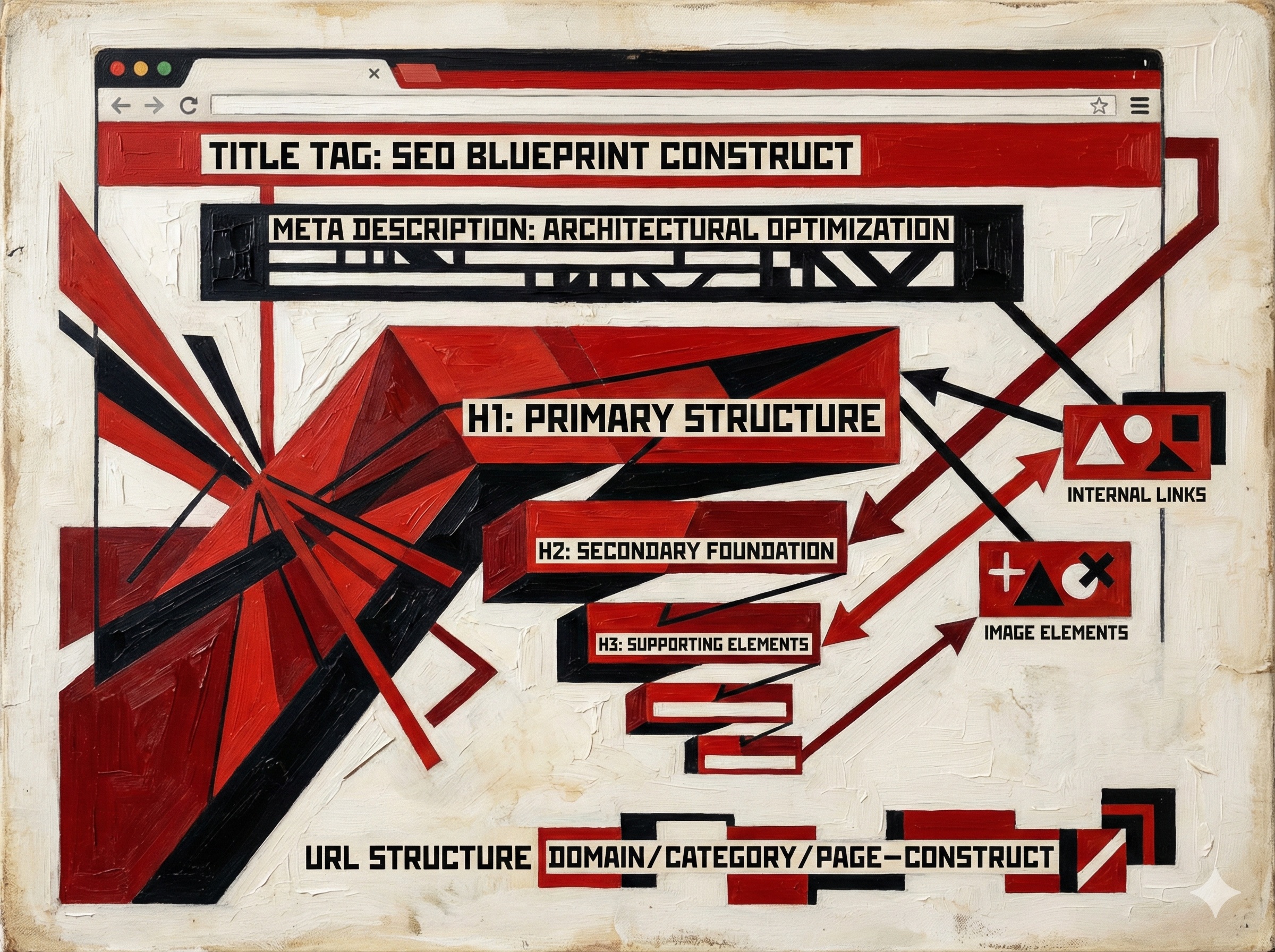
- Title tags — Include primary keyword naturally, keep under 55-60 characters, make it compelling for clicks.
- Meta descriptions — Write 150-160 characters summarizing page value, include a call to action, incorporate relevant keywords naturally.
- H1 tag — One per page, includes primary keyword, clearly describes page content.
- Header hierarchy — Use H2-H6 tags in logical order, incorporate secondary keywords in H2s where natural.
- Image alt text — Describe images accurately, include relevant keywords where appropriate, assist screen readers.
- Internal links — Add 5-8 internal links per article using descriptive anchor text based on target page topics.
- URL structure — Keep URLs short, descriptive, and keyword-inclusive. Avoid parameter strings and unnecessary folders.
Web Page Optimization Tips:
- Place your primary keyword within the first 100 words naturally
- Distribute secondary keywords across H2 headings
- Eliminate duplicate content across pages—use canonical tags when needed
- Match content depth to search intent (informational queries need comprehensive answers)
Success Criteria: All pages have unique, optimized titles and meta descriptions. Header structure is logical. Primary keyword appears in title, H1, first paragraph, and at least one H2.
Step 5: Enhance Content Quality for E-E-A-T
Google evaluates Experience, Expertise, Authoritativeness, and Trustworthiness (E-E-A-T) when assessing content quality. These signals influence how search engines determine whether your content deserves visibility.
E-E-A-T Optimization Actions:
- Add author information — Include author bios with credentials, relevant experience, and links to author profiles or LinkedIn.
- Cite authoritative sources — Link to primary sources for statistics and claims. Academic research, government data, and industry reports strengthen credibility.
- Update content regularly — Review and refresh content quarterly. Add recent statistics, update outdated information, note revision dates.
- Display trust signals — Include customer reviews, industry certifications, awards, and partnership logos where relevant.
- Create comprehensive coverage — Answer related questions within your content. Thin content rarely demonstrates expertise.
Google's Search Central communications consistently emphasize that "high-quality, helpful content and good site structure matter more than obsessing over minor technical tweaks." Focus on genuinely serving user needs.
Success Criteria: All content has clear authorship, current statistics with sources, and comprehensive coverage of the topic.
Step 6: Implement Structured Data and Schema Markup
Schema markup helps search engines understand your content's context and enables rich results in search listings. Rich results can significantly improve click-through rates.
Priority Schema Types:
- Article — For blog posts and news content
- HowTo — For procedural guides like this one
- FAQ — For question-and-answer sections
- Organization — For about and contact pages
- BreadcrumbList — For navigation hierarchy
Implementation Steps:
- Identify the most appropriate schema type for your page content.
- Generate JSON-LD markup using Google's Structured Data Markup Helper or manual coding.
- Add the JSON-LD script to your page's HTML head section.
- Test with Google's Rich Results Test.
- Monitor for errors in Search Console's Enhancements reports.
Success Criteria: Schema validates without errors, pages are eligible for rich results in applicable categories.
Step 7: Optimize for Mobile Users
With mobile-first indexing, your mobile experience is your primary experience in Google's eyes. Mobile optimization isn't a separate consideration—it's the foundation.
Mobile Optimization Checklist:
- Responsive design — Content adapts to any screen size without horizontal scrolling.
- Touch-friendly elements — Buttons and links are at least 44x44 pixels with adequate spacing.
- Readable text — Font sizes don't require zooming (minimum 16px for body text).
- Fast mobile load times — Prioritize mobile performance in all speed optimizations.
- Simplified navigation — Mobile menus are accessible and intuitive.
Mobile-optimized pages boost conversions by 27% compared to non-optimized pages, according to Invespcro. Desktop converts at approximately 3% while mobile converts at 2%—proper optimization helps close this gap.
Success Criteria: Pass the Google Mobile-Friendly Test with no issues. Mobile PageSpeed score of 90+.
Step 8: Set Up Analytics and Monitoring
Optimization is iterative, not a one-time project. Establish monitoring to track improvements and identify new issues.
Essential Analytics Setup:
- Google Analytics 4 — Configure properly with accurate traffic filters and event tracking.
- Google Search Console — Verify ownership and set up email alerts for critical issues.
- Core Web Vitals monitoring — Track field data (real user metrics) over time.
- Conversion tracking — Define and track goal completions for business outcomes.
Key Metrics to Track Monthly:
- Organic traffic and impressions trends
- Core Web Vitals field data from CrUX
- Bounce rate and engagement time
- Conversion rates by traffic source
- Keyword ranking positions for priority terms
Success Criteria: All analytics platforms configured, baseline metrics documented, monthly review calendar established.
Troubleshooting Common Website Optimization Issues
Even with careful implementation, problems arise. Here are solutions to frequent optimization challenges.
Poor Core Web Vitals Despite Optimization
Common causes: Third-party scripts (chat widgets, analytics, ads), unoptimized hero images, render-blocking CSS.
Solutions: Audit third-party scripts and remove unnecessary ones. Implement lazy loading for below-fold images. Inline critical CSS and defer non-critical stylesheets.
Pages Not Appearing in Search Index
Common causes: Robots.txt blocking, noindex meta tags, crawl errors, new site without sitemap submission.
Solutions: Check URL Inspection tool in Search Console. Review robots.txt rules. Search for "noindex" in page source. Submit updated sitemap.
High Bounce Rate After Changes
Common causes: Content doesn't match search intent, slow loading drives users away, poor mobile experience.
Solutions: Analyze which pages have highest bounce rates. Compare content to ranking competitors. Check mobile usability. Verify page speed on actual devices.
Rankings Dropped After Redesign
Common causes: Changed URLs without redirects, removed important content, altered internal linking structure.
Solutions: Implement 301 redirects from old URLs to new equivalents. Restore any accidentally removed content. Audit internal links to ensure important pages still receive link equity.
When to Call a Professional
Website optimization is manageable for many site owners, but certain situations warrant expert assistance.
Handle Yourself:
- Basic on-page SEO (titles, meta descriptions, headers)
- Image compression and optimization
- Content creation and updates
- Google Search Console monitoring
- Simple schema implementation via plugins
Consider Professional Help:
- Complex site migrations or platform changes
- Technical SEO architecture redesigns
- Penalty recovery from manual actions
- Custom development requirements
- Ongoing SEO strategy for competitive markets
As Yoast's SEO 2025 expert compilation notes: "Future-proof SEO revolves around helpful content, strong technical foundations, and great user experience, not tricks." When your organic traffic drives significant revenue, professional optimization typically delivers positive ROI.
Measuring Your Website Optimization Success
Define success before you start so you can objectively evaluate results.
Target Benchmarks:
- Organic traffic growth: 10-20% increase within 3 months of optimization
- Core Web Vitals: All metrics in "Good" range
- PageSpeed score: 90+ on mobile and desktop
- Conversion rate: Match or exceed industry average (2-3% for most industries)
- Bounce rate: Under 50% for informational content
According to Unbounce's Q4 2024 data, average landing page conversion rates hit 6.6% across industries. Top performers exceed 11%. A/B testing landing pages improves conversion rates by 30% on average.
Track progress monthly and adjust tactics based on data. Optimization is continuous improvement, not a destination.

Moving Forward with Website Optimization
Optimizing a website is iterative work that compounds over time. Start with your technical audit in Google Search Console today—it takes five minutes and immediately reveals your highest-priority issues.
Focus on impact order: fix technical blockers first, then speed, then content, then refinements. Every 0.1 second improvement matters for conversions. Every ranking position gained brings measurable traffic.
The sites that win in 2025 and beyond combine technical excellence with genuinely helpful content. They load fast, work flawlessly on mobile, and answer user questions better than alternatives. That's what optimizing a website truly means—and now you have the roadmap to achieve it.
Sources
- Think with Google - Mobile Site Speed Importance (Deloitte Study)
- StatCounter - Global Mobile Traffic Statistics
- Google - SEO Starter Guide
- Portent - Site Speed and Revenue Research
- Invespcro - CRO Statistics
- Unbounce - Landing Page Conversion Rate Benchmarks (Q4 2024)
- Yoast - SEO in 2025 Expert Compilation