Meta Conversions API Gateway vs Server-Side GTM: Which a B2B Growth Team Needs
Most B2B SaaS teams should turn on Meta's free one-click Conversions API first. The Gateway earns its cloud bill for Meta-only CRM events, and server-side GTM earns its cost when one server feeds Meta, Google Ads and LinkedIn.

Published Nov 16, 2026.

For most B2B SaaS teams, the first answer is neither. Meta's free one-click Conversions API already sends website events like demo requests and trial signups from a server. The Conversions API Gateway earns its cloud bill when Meta is your only server-side destination and you also need CRM events or more control. Server-side GTM earns its higher cost when one server has to feed Meta, Google Ads, GA4 and LinkedIn. If your GA4 setup isn't clean yet, fix that first with my definitive guide to Google Analytics 4, because a server moves bad data faster. It doesn't fix it.
This post assumes you've already decided server-side tracking is worth doing. If you haven't, my piece on whether server-side tracking is worth it for a growth-stage company walks the cheaper fixes first, from Google tag gateway to CRM imports, and gives a four-gate test for when a server pays off. Here I'm comparing the three ways to get events to Meta from a server, and what each one means for a team whose real conversions happen in the CRM.
Key takeaways
- Meta announced a one-click, Meta-enabled Conversions API setup on April 15, 2026 that "requires no technical expertise, no costs, no ongoing maintenance." It covers website events only.
- The Conversions API Gateway runs in your own AWS or Google Cloud account and sends to Meta only. Meta says its only cost is "the associated cloud resource or partner fees."
- Since version 1.6.0, the Gateway also accepts offline, app and CRM events sent from your own server, which most comparison articles still miss.
- Google estimates a server-side Tag Manager server on Cloud Run at about $45 a month and recommends at least two, so the hosting floor is about $90 a month.
- None of the three moves CRM pipeline stages by itself. Meta accepts an event time up to 7 days old, so SQL and opportunity events have to go out when the stage changes.
What is the Meta Conversions API Gateway?
The Meta Conversions API Gateway is Meta's prebuilt server software that receives events from your Meta Pixel and forwards them to Meta's Conversions API from a server you provide. You host it in your own cloud account, Meta supplies and updates the software, and it sends to one destination: Meta.
Meta's current Conversions API Gateway documentation lists three hosts for a self-provisioned instance: AWS EKS, AWS ECS Express or Google Cloud. AWS App Runner, the host many older setup guides walk through, isn't on that list anymore. Meta's cloud migration guide says AWS deprecated App Runner and names ECS Express as its replacement, so an App Runner instance has a move ahead of it.
Once the Gateway is running, you manage it from an admin hub on your Gateway's own domain, at the /hub/capig path. That's where you connect Pixels, watch event activity and the Conversions API success rate, and approve software updates. Meta says the Gateway will "auto update (with host admin consent)" as new features ship.
The Gateway also handles deduplication. For browser events, the Pixel sends each event to Meta and to the Gateway, and the Gateway generates the shared event ID that lets Meta keep one copy. In a custom setup, passing that shared ID is your job, and it's easy to get wrong.
How is the Gateway different from Meta's one-click Conversions API?
Meta's one-click Conversions API, which Meta now calls Conversions API with Meta, is a server-side copy of your Pixel's website events that Meta runs for you. You turn it on in Events Manager and there's nothing to host. The Gateway gives you a server you own, events beyond the website, and a cloud bill.
Meta announced the one-click option on April 15, 2026 as "a one-click option that requires no technical expertise, no costs, no ongoing maintenance." Meta's own Gateway page now opens by pointing website-only advertisers to the one-click option: "If you have a Meta Pixel and only need to send website events to Meta, Conversions API with Meta can do it without you having to host or maintain anything. Turn it on in Events Manager."
Meta's setup comparison in its Help Center describes the one-click option as a web-only setup. It mirrors what the Pixel already sees. It won't accept a qualified lead from your CRM or an event your backend fires.
The reason to turn it on is Meta's own number. In the same announcement, Meta said advertisers with a Conversions API setup for web events "saw an average 17.8% lower cost per result compared to those without." That's Meta's average across its advertisers, measured by Meta, so I treat it as a reason to test, not a forecast.
For a B2B SaaS team whose Meta goals are a demo request and a trial signup on the website, the one-click setup covers the job. The Gateway and server-side GTM only earn their cost for what it can't do.
What does server-side GTM do that the Gateway can't?
Server-side GTM is a Google Tag Manager server container that receives one event stream from your site or backend and forwards it to any destination you configure, including Google Ads, GA4, Meta and LinkedIn. The Gateway talks to Meta only. That single difference settles most B2B cases, because few B2B teams run paid media on Meta alone.
A server container also lets you decide, per platform, which fields leave your server. You can strip personal data before it reaches a vendor, add a CRM ID to an event, or hold a conversion until your backend confirms it. The Gateway gives you little control beyond turning events on and off.
Practitioners who build both land in the same place. Vinícius Fonseca, founder of Advanced Tracking Academy, puts the trade-off in two sentences: "The Gateway is a shorter setup. sGTM is the one you can still change six months from now" (Advanced Tracking Academy, updated October 17, 2026). Babak Arjomand, a senior analytics executive at Bind Media, writes that "the CAPI Gateway is a solid tactical improvement for Meta Ads today, but sGTM provides the strategic infrastructure necessary to control and future-proof all your marketing signals" (Bind Media, October 13, 2025).
David Kloeber, a consultant who builds GA4 and server-side tracking setups, draws the multi-platform line directly: "If you're running significant ad spend on Google Ads, Meta, or LinkedIn, server-side tagging should be a priority" (David Kloeber, February 28, 2024).
One naming trap is worth a sentence. Google tag gateway for advertisers is not server-side GTM. Tag gateway serves Google's own tag from your domain, and it doesn't send anything to Meta or LinkedIn.
How do the three options compare for a B2B SaaS team?
The three options differ on four things a growth leader cares about: where events can go, where they can start, who hosts the setup and who keeps it running. This is the version of the comparison I'd put in front of a CEO.
| Conversions API with Meta (one-click) | Conversions API Gateway | Server-side GTM | |
|---|---|---|---|
| Destinations | Meta | Meta | Meta, Google Ads, GA4, LinkedIn and others |
| Event sources | Website events the Pixel sees | Pixel events, plus server-sent offline, app and CRM events since v1.6.0 | Browser stream, backend and webhook events |
| Hosting | None, Meta runs it | Your AWS or Google Cloud account, or a host like Stape | Your Google Cloud project, or a managed host |
| Hosting cost | Free | Cloud resources or partner fees, from $10 a month per Pixel on Stape | About $90 a month for two Cloud Run servers |
| Deduplication | Handled by Meta | Automatic for Pixel events | You pass a shared event ID |
| Who maintains it | Meta | Meta updates the software, you own the host | You or a contractor |
| Best B2B fit | Meta goals are website demo requests and trials | Meta is the only server-side destination, and you need CRM events or several Pixels | Meta plus Google Ads and LinkedIn, with pipeline events |

What does each option cost to run?
The one-click Conversions API is free. The Gateway's software is free too, but you pay for the cloud resources or a host. Server-side GTM on Google Cloud Run starts around $90 a month for the two servers Google recommends. In every case, the person who maintains the setup costs more than the hosting.
Meta's Gateway documentation is plain about it: "The only cost of the Conversions API Gateway is the associated cloud resource or partner fees." Meta doesn't publish a monthly figure for the self-hosted version, because it depends on your cloud account and your traffic. Stape, a third-party host, lists Gateway hosting at $10 a month per Pixel, or $8 a month billed annually, for up to 10 million events a month per Pixel (Stape, checked November 13, 2026). Its Unlimited plan covers up to 100 Pixels for $100 a month, which matters if you run several brands or regions.
Google's Cloud Run setup guide puts each server-side Tag Manager server at about $45 a month, with 1 vCPU and 0.5 GB of memory, and recommends a minimum of 2 instances to reduce the risk of data loss in an outage. Google expects 2 to 10 servers to handle 35 to 350 requests per second. It also warns that request logging above about 1 million requests a month can add significant charges, so turn that logging off on day one. Managed hosts cost less at low volume. Stape's server GTM plans start free for up to 10,000 requests a month, with Pro at $20 a month for up to 500,000 requests (Stape pricing).
Hosting is the smallest line either way. The real cost is the setup, the event design and the named owner who updates the server and notices when one destination quietly stops receiving events.
Can the Conversions API Gateway send CRM pipeline events?
Yes, since version 1.6.0. Meta documents a non-web server events endpoint on the Gateway that accepts offline, app and CRM events sent from your own server. What the Gateway doesn't do is watch your CRM. Something you build still has to call that endpoint when a deal changes stage.
This is the detail most comparison articles miss. Several current guides still say the Gateway forwards only what the browser Pixel fires, and for website events that's true. But a B2B team that advertises on Meta alone can now send an SQL or an opportunity through the same Gateway instead of standing up a second pipeline. The endpoint is still addressed to a Pixel ID, so the Pixel stays the anchor for the dataset.
If the same events need to reach more than Meta, look at Signals Gateway. Meta describes Signals Gateway as a separate, self-provisioned pipeline that can send events to destinations beyond Meta, including Google BigQuery and a custom destination such as your own API. Meta hasn't said the Conversions API Gateway is being retired. Signals Gateway is a different product with a wider scope.
Why do SQL and opportunity events have to go out on time?
Meta's Conversions API rejects stale events. Its server event parameters say the event time "can be up to 7 days before you send an event," and if one event in a request is older than that, Meta rejects the whole request. So pipeline stages have to go out when they change, not in a monthly backfill.

Here's an illustration, not a client result. Picture a Series B SaaS company running Meta and LinkedIn for demand. A prospect clicks a Meta ad on a Monday and books a demo on Wednesday. The SDR qualifies the lead into an SQL the following week, and an account executive opens an opportunity two weeks after that. The demo request is a website event, so the one-click Conversions API catches it. The SQL and the opportunity happen in the CRM.
If those two stages go to Meta the moment they change, each one arrives fresh. If someone batches them into a monthly upload, the SQL is weeks past the 7-day limit and the request fails, taking every other event in it down too. The same timing logic applies to LinkedIn, which I cover in my LinkedIn Conversions API decision guide, and to Google Ads, where I walk through sending HubSpot deals to Google Ads as offline conversions.
The delivery mechanism matters less than the trigger. The Gateway's non-web endpoint, a server-side GTM container or a direct API call can all carry the event. What has to exist is a CRM workflow that fires on the stage change.
Which conversion events should the server-side path carry?
The server-side path should carry the few events that predict revenue, not every page view. For a B2B SaaS funnel that usually means the demo request, the trial signup and the CRM stages that follow them: SQL, opportunity and closed-won, each with a value if you have one.
Website events are the easy half. Each one should carry the same event ID in the browser and on the server, so Meta keeps one copy. Meta deduplicates a matching browser and server event when both arrive within 48 hours of the first one it receives (Meta's deduplication guide).
I decide the conversion list before I touch any plumbing. On a high-intent landing page for an energy company, tracked on forms and calls, the conversion list included phone calls alongside the form, so both had to be tracked. A B2B SaaS team faces the same choice with product-qualified signups and booked meetings. Pick the events someone will optimize or report on, then pick the server path that can carry them.
Which one should a B2B growth team pick?
The decision comes down to three questions, asked in order. I call it the destination, source and owner test, and it turns a tooling argument into a budget call a CEO can follow.
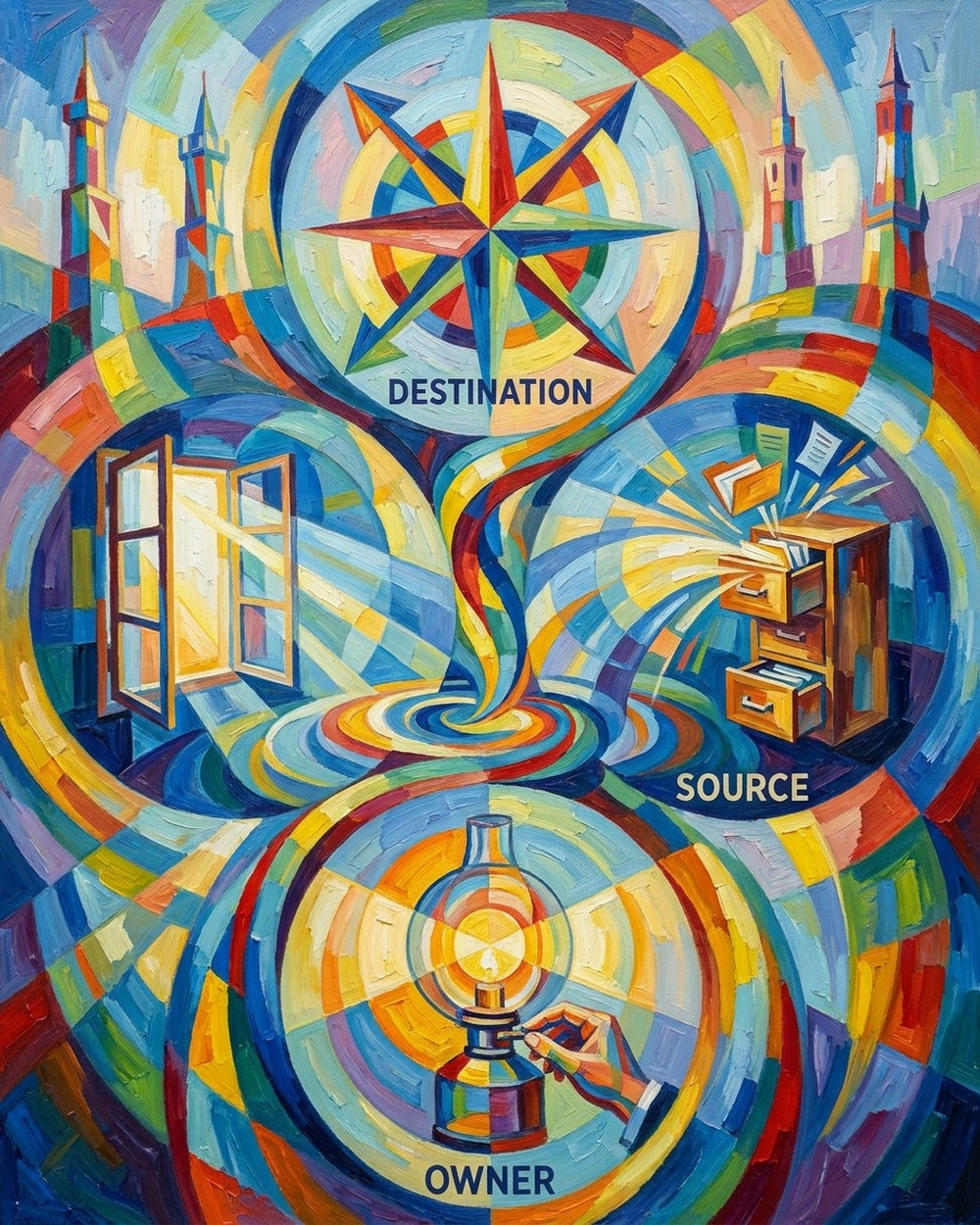
- Where do the events need to go? If the answer is Meta only, stay with Meta's options. If it's Meta plus Google Ads and LinkedIn, server-side GTM is the one server that can feed all of them.
- Where do the events start? If every Meta goal is a website event, the one-click Conversions API covers it. If SQLs and opportunities live in the CRM, you need something that sends them on a stage change, whether that's the Gateway's non-web endpoint, a server container or a direct integration.
- Who keeps it running? The one-click setup needs no owner. The Gateway needs someone who owns the cloud account and approves updates. Server-side GTM needs a named person or contractor who maintains the tags and watches the bill. If nobody fills that seat, pick the option that doesn't need one.
The answers usually land in one of three places:
- Meta only, website events only: turn on Conversions API with Meta and stop there.
- Meta only, plus CRM stages or several Pixels: run the Conversions API Gateway, self-hosted or on a host like Stape.
- Meta plus Google Ads, GA4 or LinkedIn: build server-side GTM, and make sure no event is sent to Meta by two server systems at once.
What breaks, and how do you check it worked?
Three things break most often: two systems send the same server event, CRM events arrive too late, and nobody notices when a destination stops receiving data. You check that the setup works by comparing your CRM's counts with what each platform reports, not by trusting a green status light.
Two server senders is the easiest mess to make during a migration. If you move from the Gateway to a container, switch events over one at a time and turn each one off in the Gateway hub as the container starts sending it. Fonseca's advice on that cutover is blunt: "never let both systems send the same event."
Late CRM events fail quietly unless you look for them. Watch your integration's logs for rejected requests, because one event older than 7 days sinks the whole batch.
Silent failures are the owner's job to catch. Google's setup guide says a working server container returns the text ok when you add /healthy to its URL, and the Gateway hub shows its Conversions API success rate.
My check after any change looks like this:
- Pull 30 days of demo requests, trials, SQLs and opportunities from the CRM, and compare them with what Meta Events Manager, Google Ads and LinkedIn report for the same window.
- In Events Manager, confirm that browser and server events are being deduplicated rather than double counted.
- Open the Gateway hub at /hub/capig, or your server container's /healthy URL, and confirm it's live.
- Read the cloud or host bill after the first full month.
Frequently asked questions
Does the Conversions API Gateway work without the Meta Pixel?
For website events, no. The Pixel sends each event to the Gateway, which forwards it to Meta. Since version 1.6.0 the Gateway also accepts offline, app and CRM events sent from your server, but those are still addressed to a Pixel ID.
Is Meta retiring the Conversions API Gateway?
Meta hasn't said so. Signals Gateway is a separate product that can send events to more destinations than Meta. What has changed is the hosting: AWS deprecated App Runner, and Meta's migration guide moves those instances to AWS ECS Express.
Can I run the Gateway and server-side GTM at the same time?
Yes, for different events. Never let both send the same event to Meta. Cut over one event at a time so that no event ever has two server senders.
Do I still need the Pixel if I use server-side GTM?
Yes, for most setups. Meta's approach pairs the Pixel with a server event that carries the same event name and event ID, and it keeps one copy when both arrive within 48 hours.
Is Google tag gateway the same as server-side GTM?
No. Tag gateway serves Google's tag from your own domain. Server-side GTM adds a container that can reshape events and send them to Meta, LinkedIn and other destinations.
So which one do you need this quarter?
Start with the free option. Turn on Meta's one-click Conversions API for your website events, then run the destination, source and owner test on everything it can't carry. Most B2B SaaS teams find the gap is in the CRM stages, not the browser, and those stages are the data bidding needs most.
If you want help comparing your CRM counts with what the platforms see, or building the server path that follows, that's the work I do in measurement and attribution.