AI Agents for Business: The Real-World Use Cases That Actually Work
The 6 AI agent use cases that actually deliver ROI, the 4-Fit Test I run before every deployment, and honest 2026 adoption data from McKinsey, Gartner, and PwC.

Published Aug 5, 2026.

Most AI agent use cases in business today fail to survive contact with production. The ones that work fall into six narrow categories, and every one of them shares four traits: repeatable workflow, structured data, a human on the escalation path, and a payback window under twelve months. Everything else is a demo, a pilot, or a slide.
I've spent the last year deploying agents inside my own consulting stack and helping clients pick a starting point that isn't a landmine. The pattern is clear enough now to write it down honestly.
Key takeaways
- 23% of organizations are scaling agentic AI, but no more than 10% have it scaled inside any single business function. According to McKinsey's State of AI 2025 survey, experimentation is common and production is still rare.
- The 4-Fit Test decides go or wait. A workflow needs fit-to-workflow, fit-to-data, fit-to-oversight, and fit-to-payback. Miss one and the pilot dies in month four.
- Customer service and coding are the two clear winners today. Independent 2026 data puts customer service adoption at 62% and software engineering at 53%, with median payback under seven months.
- 40% of agentic AI projects will be canceled by end of 2027. Gartner's June 2025 forecast is the honest ceiling on hype.
- Buy first, wrap second, build last. Almost every small and mid-sized business should start on a platform (Zapier Agents, Lindy, Cowork), not a custom LangChain build.
What is an AI agent for business, really?
An AI agent for business is a software system that receives a goal, reasons through the steps required to achieve it, uses tools and APIs to take those steps, and delivers a result with limited or no human input on each step. It is not a chatbot, it is not a prompt shortcut, and it is not the same thing as an automation. The distinction matters because pricing, risk, and staffing all change depending on where a system sits on that spectrum.
Here's the short version of how the four categories differ.
| Category | What it does | Autonomy | Typical example |
|---|---|---|---|
| Chatbot | Answers questions from a script or a retrieval index | None | An FAQ bot on a support page |
| AI assistant | Helps a human complete one task at a time | Low | Copilot inside a document |
| Workflow (automation) | Runs a fixed sequence of steps on a trigger | Fixed | Zapier zap, Make scenario |
| AI agent | Plans steps, picks tools, adapts, then acts | High | An agent that closes a support ticket end to end |
Wharton professor Ethan Mollick describes agents in his 2025 One Useful Thing essay as systems that plan and act toward goals rather than only responding to prompts. That is the operational definition worth using. A system that cannot pick its next step does not count.
Where AI agents are actually deployed in 2026
Real numbers matter here because vendor marketing and analyst research disagree by a factor of three. The most credible primary sources put adoption in this range:
- According to McKinsey's State of AI 2025, 23% of organizations are scaling agentic AI somewhere in the enterprise and 39% are experimenting with it.
- According to McKinsey (2025), 88% of organizations use AI in at least one business function, but no more than 10% report scaling agents inside any single function. Deployment lags experimentation by a wide margin.
- According to McKinsey (2025), the highest function-level scaling rates are 8% in IT and 7% in knowledge management.
- According to PwC's AI Agent Survey (2025), 79% of surveyed executives report that AI agents are already being adopted in their companies, and 52% describe adoption as broad or across most workflows.
- According to Blue Prism's 2025 agentic AI survey, 29% of organizations are already using agentic AI and 44% plan to implement it within the next year.
The gap between "adopted" (PwC's 79%) and "scaled" (McKinsey's 23% enterprise-wide, 10% per function) is the actual story. Most organizations have an agent running somewhere. Very few have one running everywhere it should.
Six AI agent use cases that actually work
These are the six patterns I've seen deliver measurable value across my client base and the broader market data. They share the four traits above and produce a result you can measure in a single quarter.

1. Customer service triage and first-touch resolution
Support is where agent economics work first. The tickets are high-volume, the answers live in a knowledge base, and every deflection saves a real dollar. Anthropic's Claude, OpenAI's ChatGPT for Business, and specialist vendors like Decagon and Sierra sit on top of the ticketing stack and resolve routine tickets end to end. Independent 2026 data from Digital Applied's enterprise AI agent adoption report shows 62% adoption in customer service and support and a median payback of 4.7 months.
Christopher Penn, chief data scientist at Trust Insights, has written extensively about the practical wins here: agents are useful when the ticket is answerable from an existing document, and they are dangerous when the ticket requires judgment the agent has no context for. That is the real design constraint.
2. Software engineering and coding
Developer agents (Cursor, Claude Code, GitHub Copilot Workspace, Devin) are the second obvious winner. Digital Applied's 2026 data pegs software engineering adoption at 53%, human-in-the-loop rate at 21%, and median payback at 6.2 months. Anthropic's own Economic Index research maps Claude use disproportionately into software development and technical writing tasks. The agents write code, run tests, open pull requests, and hand a reviewable diff to an engineer.
The catch is code review capacity. Agent-generated code needs the same senior review as a junior engineer's code, and teams that cut review to keep up with agent throughput ship regressions.
3. Sales research and outreach drafting
The specific sales job agents actually do well is pre-call research plus first-draft outreach copy. An agent reads a prospect's website, LinkedIn, recent news, and CRM history, then writes a personalized note that a rep edits and sends. Clay, Apollo's AI features, and Lindy are the platforms most operators reach for. According to McKinsey (2025), marketing and sales is one of the top two functions where organizations report meaningful agent-driven value.
The tempting next step, letting the agent send the outreach without review, is where most sales-agent pilots die. Prospects notice.
4. Meeting-to-CRM operations
This one is boring and profitable. An agent joins the call (Fathom, Fireflies, Granola), transcribes it, extracts commitments and next steps, updates the CRM, and drafts the follow-up email. Zero autonomy for anything customer-facing, full autonomy for the janitorial post-call work reps hate. The payback is a rep hour saved per call.
I run this for my own consulting work. The agent updates my HubSpot equivalent, drafts the recap, and never touches an outbound message.
5. Marketing operations
Weekly performance reports, campaign briefs, first-draft ad copy, and creative-asset production are all agent-fit. This site's own operations run on a fleet of agents that produce reports and drafts and hold everything for my review before publish. I wrote more about how I make the build-or-wait call in The Solo Operator Playbook: How I Actually Use AI in Small Business Marketing.
The agents don't set strategy and they don't approve creative. Everything else is fair game.
6. IT operations and internal knowledge
McKinsey's 8% IT-scaling number is the highest per-function rate in their survey for a reason. Password resets, laptop provisioning, access requests, Tier-1 triage, and "how do I do X in Workday" queries are all agent-fit. Moveworks, Glean, and ServiceNow's agentic layer sit on top of the existing service desk and take the boring tickets before a human sees them.
Where AI agents keep failing (and why)
The honest ceiling on all of this comes from Gartner's June 2025 forecast: over 40% of agentic AI projects will be canceled by the end of 2027, driven by escalating costs, unclear business value, and inadequate risk controls. That number is the price of buying into the hype without a decision framework.

The failure patterns I see most often are boringly consistent:
- The workflow was never really automatable. Requirements shifted every ticket, the "process" lived in someone's head, or the exceptions outnumbered the rules.
- The data was rotten. The CRM was 40% duplicates, the knowledge base was three years stale, and the agent hallucinated confidently over the gaps.
- Nobody owned oversight. The agent shipped, its errors piled up in a queue nobody reviewed, and by the time a customer complained the trust was gone.
- The payback was invisible. The team could not agree on what "working" meant, so success was whatever the demo showed on day one.
Every one of those is upstream of the technology.
The 4-Fit Test: is your workflow ready for an AI agent?
This is the framework I run every candidate workflow through before I recommend an agent. All four have to score a green light or you wait.
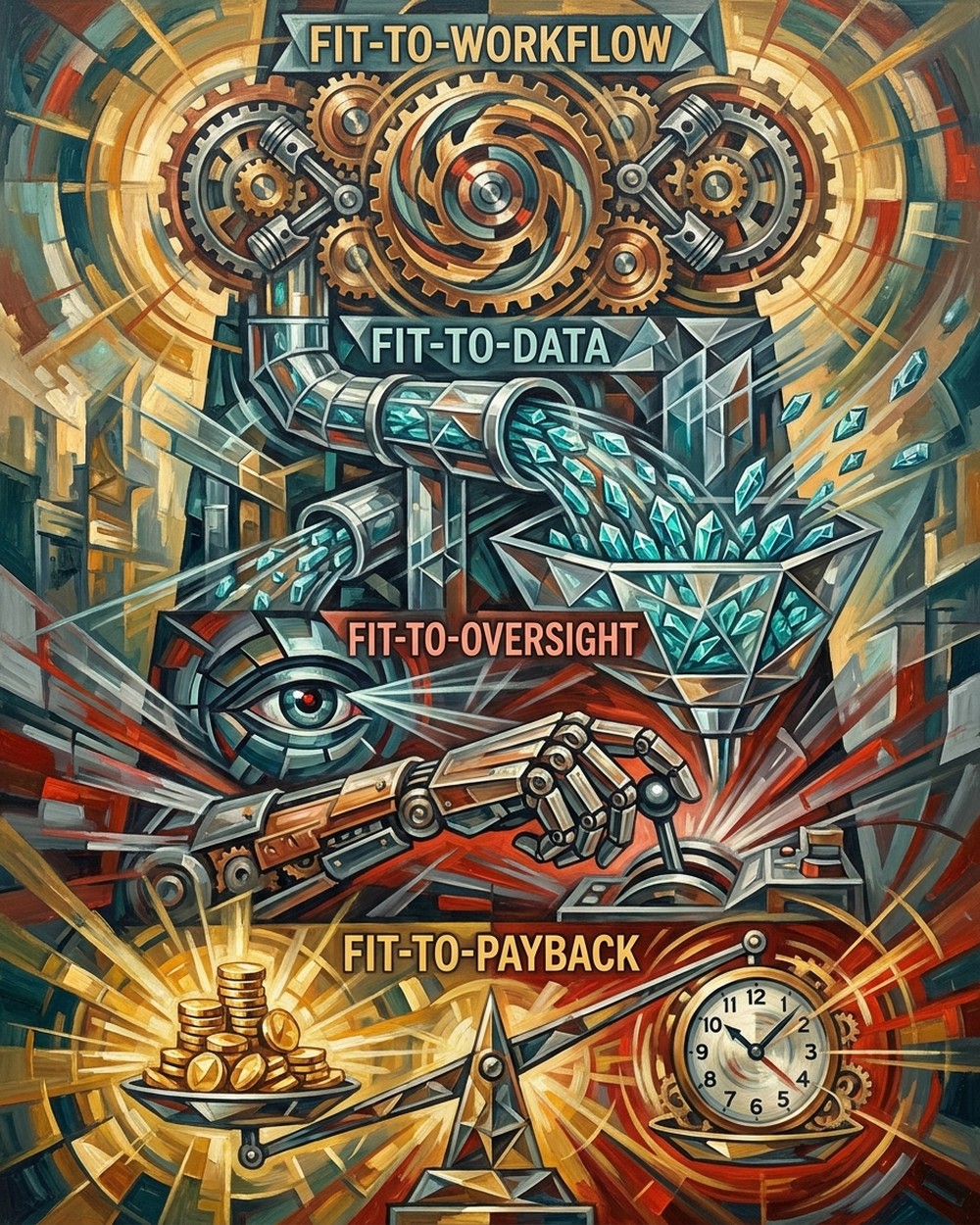
1. Fit-to-workflow. The task must be repeatable, bounded, and rules-based enough that you could hand it to a new hire with a two-page runbook. If the runbook is a novel, the agent will fail the same way the runbook does.
2. Fit-to-data. The agent needs structured, current, accessible data with APIs. Your CRM data quality is the ceiling on your agent's judgment. Fix the data first or the agent will hallucinate over the gaps.
3. Fit-to-oversight. A named human owns the exception queue, reviews outputs on a set cadence, and has explicit authority to pause the agent. No owner, no agent.
4. Fit-to-payback. The measurable outcome (tickets deflected, hours saved, meetings booked, dollars recovered) has to be countable in a single quarter and worth more than the platform cost plus the internal setup time. If the ROI conversation is hand-wavy, the project is a demo, not a deployment.
Green light on all four means run the pilot. One yellow means shrink the scope. Two or more misses means stop.
Best AI agents for business by use case in 2026
The right agent depends on the use case, the stack you already run, and your appetite for a build. My working shortlist for a small or mid-sized business:
| Use case | Best-fit platforms | Typical starting price |
|---|---|---|
| Customer support | Decagon, Sierra, Intercom Fin, Zendesk AI Agents | $500 to $5,000 per month plus per-resolution fees |
| Coding | Cursor, Claude Code, GitHub Copilot Workspace | $20 to $60 per seat per month |
| Sales research and outreach drafts | Clay, Lindy, Apollo AI | $200 to $2,000 per month by seat count |
| Meeting-to-CRM | Fathom, Fireflies, Granola | $20 to $50 per seat per month |
| Marketing ops and reporting | Zapier Agents, Lindy, custom Claude API stack | $50 to $500 per month depending on volume |
| IT and internal knowledge | Moveworks, Glean, ServiceNow AI Agents | Enterprise pricing, expect $50k plus per year |
| Multi-purpose horizontal | Claude Cowork, ChatGPT Business, Zapier Agents | $30 to $60 per seat per month |
Kevin Indig, an independent search and AI-visibility strategist, has argued in his 2026 Growth Memo essays that the platform layer is consolidating faster than the custom-build layer, and that most operators should let the platform companies eat the model-integration cost. That matches what I recommend.
How much do AI agents cost?
Sticker price is only the first line of the invoice. Real cost has four components:
- Platform subscription. Ranges from $20 per seat for lightweight tools to $50k plus per year for enterprise support platforms.
- Usage fees. Most agent platforms bill per action, per ticket resolved, or per token. Budget 30% to 50% above the seat cost in the first quarter until you know your real volume.
- Integration and setup. Even a Zapier Agents build takes a week of real work. A custom build is three to six months of engineering time.
- Ongoing oversight. Someone has to review outputs, tune prompts, and manage exceptions. Budget a quarter of an FTE per meaningful production agent.
For a small business starting one agent in one function, plan on $500 to $2,000 per month in tooling and roughly 10 hours of internal setup and oversight per month for the first quarter.
Build, buy, or wrap? A decision matrix
Almost every small and mid-sized business should buy. Here is the rule I use:
- Buy when a platform in the shortlist above covers 70% of your workflow. Speed to production wins.
- Wrap (buy a platform, extend it with a Zapier or a custom function) when the platform gets you to 70% and the last 30% is glue between two systems you already own.
- Build only when the workflow is a core differentiator, no platform gets you above 50%, and you have an engineering team that will still be here in eighteen months to maintain it.
Andreessen Horowitz's essay The Rise of Computer Use and Agentic Coworkers makes the case that the middle path (wrap) is the fastest ROI for most operators, and I agree.
What ROI should you actually expect?
Honest ROI ranges, based on the deployments I've seen and the published data:
- Customer support: 25% to 45% deflection of Tier-1 tickets, payback in 4 to 7 months. Digital Applied's 2026 median is 4.7 months.
- Coding: 10% to 20% engineer throughput lift, payback in 6 to 9 months. Track pull-request review load carefully.
- Sales research and outreach drafts: 20% to 40% more prospecting touches per rep per week. Track reply and meeting-booked rates, not send volume.
- Meeting-to-CRM: 15 to 45 minutes saved per rep per call. Multiply by call volume.
- Marketing ops: 5 to 15 hours saved per marketer per week on reports and first drafts.
- IT operations: 20% to 40% reduction in Tier-1 ticket volume reaching a human agent.
None of these ranges require an internal-transformation program. They require one workflow, one agent, and one owner.
A 30-day agent starter plan you can run this quarter
If you are starting from zero, do this in the next 30 days:
- Week 1. Pick one workflow. Run it through the 4-Fit Test. If it passes, pick a platform from the shortlist above. If it does not pass, pick a different workflow.
- Week 2. Wire up the platform in a test environment. Connect exactly the systems the workflow needs (support desk, CRM, calendar, code repo). Draft the exception-handling runbook.
- Week 3. Run the agent in shadow mode. It produces outputs, a human reviews and overrides everything, and you log the disagreement rate. If disagreement is under 20%, go to Week 4. If it is over 20%, tune prompts and retry.
- Week 4. Turn on the lowest-risk category live. Measure deflection or hours saved daily. Hold a Friday retro on every exception the agent hit.
I've laid out the broader system view of what to automate and what to keep human in Marketing Automation With AI: What to Automate First and AI Workflow Automation for Marketing Teams. The 30-day plan above is the specific first move.
Frequently asked questions
How is an AI agent different from a chatbot?
A chatbot answers questions from a script or a retrieval index. An AI agent receives a goal, plans the steps, uses tools and APIs, and completes a task. A chatbot cannot close a support ticket; an agent can.
What business problem should I automate first?
Pick one high-volume, rules-based workflow with clean data and a named owner. Customer support triage, meeting-to-CRM updates, and marketing reporting are the safest starting points. Anything that requires judgment on every step is a bad first pick.
How much does an AI agent cost for a small business?
Plan on $500 to $2,000 per month in platform and usage fees for one meaningful production agent, plus roughly 10 hours per month of internal oversight for the first quarter. Custom builds start at six figures and take months.
Should I build my own agent or buy a platform?
Buy if a platform covers 70% of the workflow. Wrap (extend a platform with a small custom piece) if the last 30% is glue. Only build if the workflow is a core differentiator and you have engineers who will still be there in eighteen months.
How do I measure AI agent ROI?
Pick one countable metric before the pilot starts: tickets deflected, hours saved per rep per week, meetings booked, or dollars of manual work replaced. Compare it to the platform cost plus internal oversight time. If you cannot count it in a single quarter, the pilot is a demo.
How safe are AI agents for customer-facing work?
Only as safe as your oversight. Never give an agent send authority on outbound customer messages without human review in the first quarter of production. Human-in-the-loop rates on the workflows that work are 20% to 30% even in mature deployments.
The honest bottom line
AI agents work when the workflow is boring, the data is clean, someone owns the exception queue, and the payback is countable in a quarter. That describes maybe six categories of work, not sixty. Start with one, buy the platform, keep a human on the escalation path, and measure the outcome weekly.
Everything else is 2027's cancellation notice arriving early.